Tuesday, February 22, 2011

Web credibility classes in Santa Monica and Santa Barbara next week!

As you know, one of the things I do is to teach classes outside of Google.  Next week we have a few classes coming up --  here's the rundown. 


(I should point out that both of these classes are FREE!  They're intended for teachers, librarians, technology coordinators... but are probably also useful for people who are very interested in search / research topics as well.) 


1.  Web Credibility (Santa Monica)

Will be held at Google's Santa Monica office on Monday, Feb 28, 2011, from 6 - 8PM.  


We'll cover topics such as:
     - how to determine the ownership of a website
     - factors that increase (or decrease) credibility
     - tools you can use to analyze a website / webpage

We'll work through plenty of examples and give some examples of lesson plans you can use in your teaching.

If you're interested, please sign up for the class by filling out this form:
  
     Sign up for Santa Monica class on Web Credibility

And please feel free to send this to any of your colleagues who might be interested in attending. 

Remember:  this is the SIGNUP sheet.  I assume if you sign up, you'll be coming by!  

Hope to see you all on the 28th! 

========================
The Google Santa Monica office is at: 
604 Arizona Ave., Santa Monica, 90401

Our gated parking is right off of Arizona Ave and the security can let you/guests in.  Parking spots are open to everyone after 5:00pm.  Before 5:00pm, visitors must park in marked Visitor spots but we have a very limited number of visitor spots.  If there are no Visitor spots open, people can also park next door at the Santa Monica Public Library (off of 7th St.) which closes at 9:00pm.  Or, you can snag one of the metered spots on the street.  (I believe the meters are free after 6:00pm.) 


2.  Web Credibility (Santa Barbara)

The second Web Credibility class will be held on the UC Santa Barbara campus at the 
Center for Information Technology and Society (CITS).  Directions to CITS, including information on parking, can be found here: http://cits.ucsb.edu/directions

This class will meet on Tuesday, March 1, 2011,  from 6 - 8PM.  

If you're interested, please sign up for the class by filling out this form:   


Hope to see the rest of you at UCSB! 


Friday, February 18, 2011

Answer: Who made the Mountain View horse?

This was slightly tricky, but a fun search.  As you can see from the comments, there are two potential answers, only one of which is correct.  (See the bottom for why I know which is correct.)


I started with the obvious Maps query to locate the Google main campus (yes, I know where it is... I'm including this for completeness... okay?):

 [ Google Mountain View ]

and then tried to do a search within Maps for:

  [ horse sculpture ]

which gave me lots of interesting results (who knew there were so many horse statues in the Bay Area?), but nothing of much use.

I poked around a bit more, but nothing was popping out at me, so I took another approach and looked in Google Images.

My strategy at this point shifted to a realization that many people now take photos of things (like attractive statues) and geo-locate them, so I had a reasonable expectation that this approach would work.

In Images I did a search for:

 [ horse statue Mountain View California ]

and discovered multiple images of the same horse (handily, even taken at sunset, so I knew which way would be west).  


I clicked on the first horse (upper left) and was taken to a Flickr page.  Fantastic!  I know that when a Flickr photo has a geolocation, you can click on the map to get the exact location shown on a map AND in the lower right corner, the lat/long! (See the green oval in the following image.)  This would let me verify the location. 


Sure enough, this lat/long shows up very near the Google campus (actually in Shoreline Park, but within an easy walk).  Jason Morrison, the photographer, has also handily tagged the photo with "bronze" "Google" and "Shoreline" (referring to the park where it's located).  
Alas, the sculptor's name isn't in the tag list.  How do I figure this part out?

I went back to the original Image search and kept looking for other photos of the horse.
Nothing.

Now what?

In a case like this, you sometimes have to make a sideways jump to get to where you're going. At this point I know the horse is made of bronze, and I have the exact location.  Maybe I can extrapolate from some nearly matching images!

In the second row of the image search results is a sculptural grouping of two horses that look pretty similar in style to the horse in question.  Maybe those were done by the same person? 
I click through on that image and discover a clue... That pair of horses were made by Deborah Butterfield for the Portland airport.  Did she also make the Mountain View horse? A quick search to check... 


 [ butterfield bronze horse mountain view ]


takes you quickly to the first result, which says that the horse WAS made by Deborah Butterfield for the city of Mountain View.  


But being a skeptical kind of guy, I really wanted Deborah Butterfield to say that it was hers.  So I kept looking, and found a few more suggestions (sketchbooks with images of the horse attributed to Butterfield, things like that, but nothing authoritative). 


I'm willing to believe it's Deborah Butterfield, partly because I found three different sources all attributing the work in Shoreline Park to her, and partly because in looking through multiple catalogs, I see that this style of work (doing the original in driftwood, then disassembling the piece to re-cast it in bronze) is her hallmark.  Other artists make driftwood horses (there's an entire community of driftwood art!), but relatively few remake their originals in bronze.  


Search done!  


Postscript:  There is also, I discovered, a Butterfield sculpture at the Stanford Art Museum and another piece in the quad at nearby Canada college

I also happen to know ground truth (because I ran over there yesterday and looked at the base of the statue, which gives the sculptor's name), but the way described above is how I answered the question. 


Wednesday, February 16, 2011

Wednesday Search Challenge (Feb 16, 2011): The horse statue near Google?

I'll tell you a little secret:  Near one of the Google buildings in Mountain View is a statue of a horse. 


The challenge is in four parts: 


1.  Where, exactly, is the horse?  (Lat/Long will do, or a street address, if you'd like) 


2.  What is the horse statue made of? 


3.  Can you find a picture of the horse taken towards the west so you can see what angle the head is held at?  


Why all these funny challenge questions?  Answer, I really like the horse.  And besides, when I took my daughter there on a little walk a while back when she was 10, she recognized the style of the statue and gave me the sculptor's name.  I couldn't do that.  Can you? 


4.  Who is the sculptor?  


Search on! 


Tuesday, February 15, 2011

Search by reading level

Filtering your search results by reading level is now built into Google search. 


To do this, just click on Advanced Search and then click on "Reading Level," this will then show the popup below.  


The option "Annotate results with reading levels" inserts a gray text indicating what our reading-level grader thinks that web page is at.  Note how the first two results are at very different levels of difficulty.  


You can, of course, select just the reading level you'd like to see:  Basic, Intermediate or Advanced.  


In this case, all the results are Basic. 


So... what's "Basic" versus "Intermediate" versus "Advanced"?  


The reading-level is based primarily on statistical models we built with the help of teachers. We paid teachers to classify pages for different reading levels, and then took their classifications to build a model of the intrinsic complexity of the text. With this model, we can any webpage with the model to classify reading levels. We also used data from Google Scholar, since most of the articles in Scholar are considered advanced.


So the breakdown isn't grade- or age-specific, but reflects the judgments of teachers as to overall level of difficulty.  Roughly speaking, "Basic" is elementary level texts, while "Intermediate" is anything above that level  up to technical and scholarly articles, a la the articles you'd find in Scholar.  


That's not exact, but it's a fairly robust model that works across a wide variety of different text styles and web pages.  


Keep searching (basically, intermediately, or advancedly... your choice)! 


Saturday, February 12, 2011

Answer: What was the conference that took Chopin away from Warsaw?

When reading about the life of Chopin a few years ago I'd read about this trip, but never knew much about it. It seemed like a pivotal moment, but I wanted to know more!  How to find out? 


 I already knew that in September of 1828 the 18-year old Chopin went to Berlin with a family friend, Feliks Jarocki, a man who was managing the biology museum at the University of Warsaw.  


But why did they go?  What was the motivation?  


From the Wikipedia article on Chopin I found that Jarocki traveled to Berlin to attend a "scientific conference."  Fine.  But WHAT was the conference?  


Finding this wasn't immediately obvious, but the query [ Chopin Jarocki Berlin ] (just cutting the query down to the essential parts) led me to a Google Books result... the Letters of Chopin!  

In his letter to his friend Tytus Woyciechowski from Sept 9th, 1828, the young Chopin describes "The King of Prussia has empowered his university to invite the leading learned men of Europe for a session of naturalists with the famous Humboldt as its president..." 


And with a quick search in Books for [ Chopin Jarocki Berlin ] you can quickly come across a treasure trove of letters and commentaries on his letters.  Another great resource are his letters, collected and commented upon by Marucyc Karasowski (published 1906)  -- Page 44 identifies the conference as the "Naturalists Congress" as led by Alexander von Humboldt.  


It's fascinating to learn the Chopin wrote a letter nearly every day.  These were often fairly short, but not quite as brief as our modern emails...  and fascinating to read this portrait of daily life in central Europe in the mid 19th century.  


The search moral?  Books are your friend... especially for questions like this, of history and the interplay of people and events.  


Frederic Chopin


Search on!

Wednesday, February 9, 2011

Wednesday Search Challenge (Feb 9, 2011): What conference gave Chopin a reason to leave Poland?

Frederic Chopin is one of the world's greatest composers of piano music.  He's my piano-hero and the object of adoration by pianists around the world.

Chopin's early life is fairly well documented, and yet it still contains some interesting puzzles for the searcher.

This is really a multi-part search problem.

First, when did Chopin leave Poland for the first time?  And what scientific conference gave him the opportunity to leave?

Can you figure out the story?  It's an important point in Chopin's young life because it gave him his first chance to hear opera performed outside of Poland and to get a glimpse of the possibilities of life beyond Warsaw.

My strategy to find this out was fairly straight-forward.  How will you discover it?


Searching!


Friday, February 4, 2011

Answer: How do I change the little blue light on my ThinkPad?

Regular SearchResearch reader Hans gave a superb answer to the Search Challenge about the ThinkPad light.   Nice job! 


My solution was very similar to his.  Let me walk you through my thought process... 


1. figure out the terminology -- I knew that in order to find exactly the right procedure, I'd have to know what "the little blue light" was called.  Google synonyms are good, but they're not good enough to synonymize "blue light" with whatever the official ThinkPad term was. My query:
     [ ThinkPad keyboard light ]

quickly found the term "ThinkLight" on the Lenovo ThinkVantage design page.  


2. find a root cause  -- The query: 
     [ Thinklight broken ]

 leads to a number of forums about ThinkPad repairs, all of which make the point that the ThinkLight is actually part of a subassembly, the "LCD Cable." 


3. find a repair manual for the T400 -- With the query:
     [ ThinkPad Thinklight Lenovo manual ]

I found the T400 and R400 "Repair Maintenance" manual, which was fine, except it didn't show me how to repair the light! I clearly needed something even more technical!  As it turns out, there are 4 (FOUR!) different hits that look like repair manuals.  So, I just marched down the list to the next one...  
The "Service and Troubleshooting Guide" didn't have the answer either.  On to number 3... which is the one I wanted all along, the "T400 and R400 Hardware Maintenance" manual.  (Somewhat distressingly, I note in passing that this PDF file is served from a Russian website called "Book Lab," I have no idea who they are or why they'd be serving up Lenovo manuals, but there you are.  They solved my problem.) 


A quick Control-F search in this PDF file and I found the installation procedure on page 125 (with a nice diagram illustrating how it's done).  


If my ThinkLight were really broken, I could just order the replacement cable and install it following the manual guidelines.  (It's not that hard, truly.)  


Search Moral:  Multi-step problems like this often require finding the correct term in order to be able to search for the right kind of thing.  In this case, we needed a "hardware maintenance manual" (rather than the "repair" manual, which turns out to be a general guide to laptop maintenance).  Note that this terminology is peculiar to Lenovo; other companies will probably call their maintenance manuals something slightly different.  


Search on! 


Wednesday, February 2, 2011

Wednesday Search Challenge (Feb 2, 2011): How do I replace the little blue light on my ThinkPad?

Here's a real problem that happened just last week... 


A Thinkpad T400 developed a problem with the little blue light that comes on when you hit FN+home.  (That keyboard shortcut turns on a light to illuminate your keyboard.)  


     Can you figure out how to replace the little light on a T400??  


Obviously, I don't want to have you actually tell me how to replace the light, but if you can find the web document that tells me how to replace it, that would be perfect. 


Thanks! 


Search on! 

Thursday, January 27, 2011

Answer: How much fish passed through the Vladivostok port in 2010?

Nice job, Fred, Tasha and Daniel!  Wonderful comments!  


While there are many ways to solve this problem, I realized that the most likely authoritative source for this kind of information would be--guess what?--web pages on Russian sites.  (Which is the method Tasha used in her solution.) 


So I used the "Translated foreign pages" under the "More search tools" link in the left hand panel. 


With the "Translated foreign pages" option selected, you can search in English, and the best matches (in whatever other languages) will be shown in the search results, translated.

In this case, since we're interested in the Vladivostok fish tonnage through the port, nearly all of the pages will be in Russian.

With just a few clicks, you can get multiple pages that list the total fish tonnage.

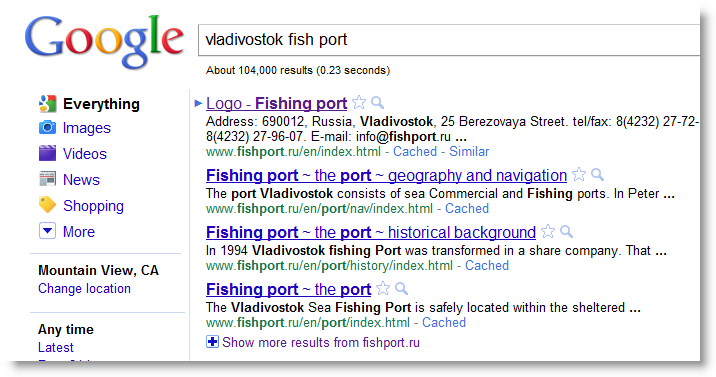
However... if you want to be clever, you could use the pattern-match feature and do:


[ vladivostok port  " * tons of fish" 2010 ] 

(Note that I used the asterisk as a pattern match in the quoted phrase.  I figure that somewhere in an article about the fishing capacity of Vladivostok it would say something like "and the capacity of the port is XX tons of fish.")

The remarkable thing is that this pattern will match in English against Russian documents, and show one possible answer in the snippets...


Still, getting answers from snippets can be dangerous, so I clicked through to the top three to see what kind  of page each was and to double-check that the value was correctly in context.

The first result is from Novostivl.ru, a newspaper with fairly extensive business coverage for Vladivostok and the region, they give the 2010 catch as 1.5M tons.  The second result is from VestiRegion.ru (a Vladivostok newspaper) and confirms the port tonnage as 1.5M tons (1.6M for the entire region).

So my best guess is that it's 1.5M tons; several local news sources agree (and a quick extrapolation from the size of the Vladivostok harbor and the number of fishing vessels show that this is a pretty reasonable number... for vessels fishing in the north Pacific).

Search lesson:  When looking for information from another country, often your best source is local news from the country of origin. And the fastest way to get that information is via Translated foreign pages.  Don't forget this easy access to pages from other languages / other cultures.

Search on!


Wednesday, January 26, 2011

Wednesday Search Challenge (Jan 26, 2011): How many tons of fish in Vladivostok?

This is another relatively simple search task... IF you know how to approach the problem.  


This is a variant of a question that I was asked by a friend doing research into the Russian economy, and I've extracted one sub-question for your consideration:  


     How much fish (by weight) went through the 
     Russian seaport of Vladivostok in 2010? 


Simple to ask.  And relatively simple to answer.  


Can you figure it out?  


If so, send in a comment (and tell us the method you used)!  


Search on!